
Find the right paper
Search a name, keyword, or quick ID and see the item’s recorded location instead of retracing your steps through boxes.
Insurance · certificates · receiptsA home for the things you keep
The certificate is in a folder. The folder is in a box. The box is… somewhere. HomeLibrarian helps your household find the paper without searching every box.
A familiar problem
You shouldn’t have to search every drawer when a form is due, an appliance breaks, or someone asks for a record you filed months ago.
Search a name, keyword, or quick ID and see the item’s recorded location instead of retracing your steps through boxes.
Insurance · certificates · receiptsCatalogue folders, binders, and boxes as containers. Move a container, and its contents follow its location.
Cabinets · drawers · archive boxesRecord check-outs, check-ins, and moves so your catalogue reflects how your household actually uses its records.
Shared files · loaned documents · movesStart with one box
Catalogue your entire collection over time. Even ten documents a day makes another part of the house searchable. Start with the papers you reach for most; add the rest when it suits you.
Explore the featuresAdd a document, folder, envelope, or box. Attach a QR Code and scan it. Add useful details, keywords, and a photo when they help.
Attach a QR Code onto its container, and scan that, too. Add drawers, filing cabinets, rooms, even houses.
Search for items by name, description, or keywords, and see exactly where you put it, or who you gave it to.
No special supplies necessary
Use whatever sticker paper you prefer. Create your own QR-code PDF to match its paper size, margins, and label grid, then print more whenever you need them.
Save your layout, make sheets or individual labels, and scan a label to find its item.
Find an item quickly by name, description, or keywords, or by scanning a QR code.
Follow its path through folders, boxes, drawers, and cabinets to the place you put it.
Make QR Code labels using any sticker paper available to you, and print them on your own printer.
Free version lets you catalogue up to 400 documents and containers, with no trial deadline.
Save your catalogue and photos in a password-protected archive you can restore later.
Your library lives on your computer. Everyday use does not depend on internet access.
Record who took an item, when it left, and when it came back.
Fill out the Windows Excel template to add many items in one import.
Choose which users can see which top-level containers.
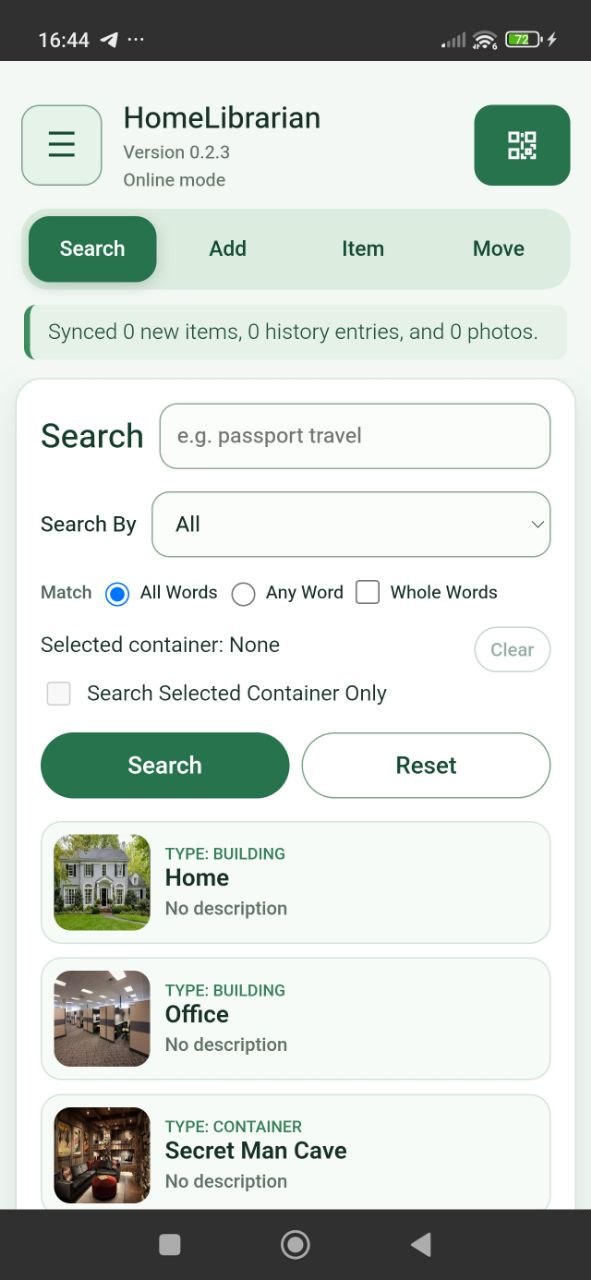
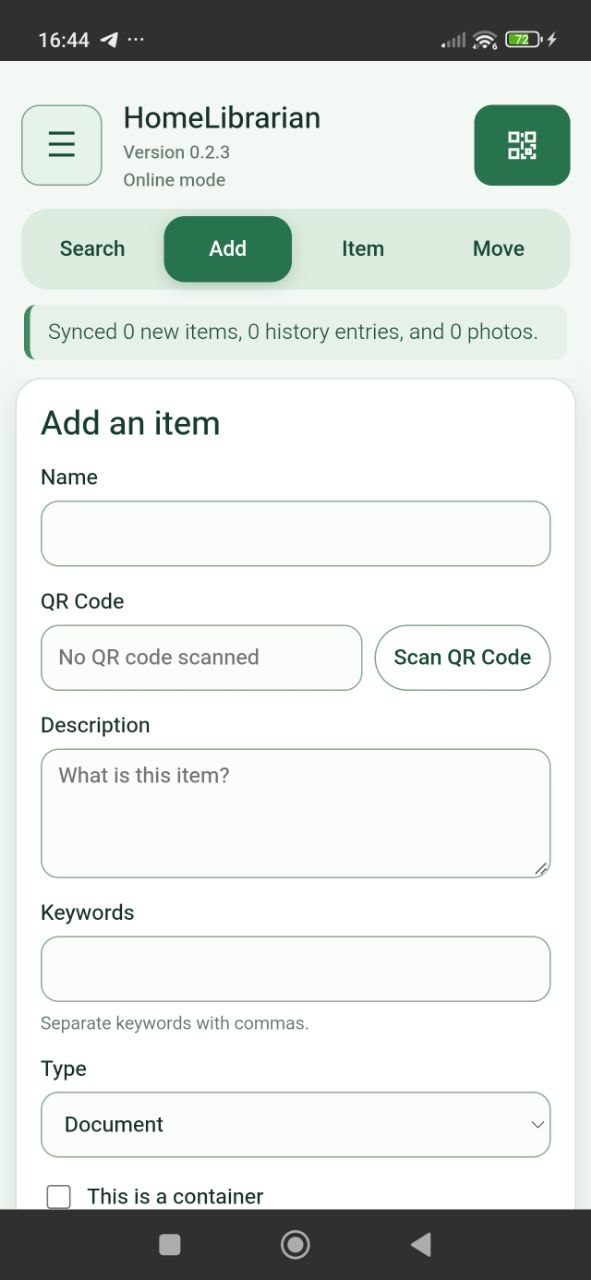
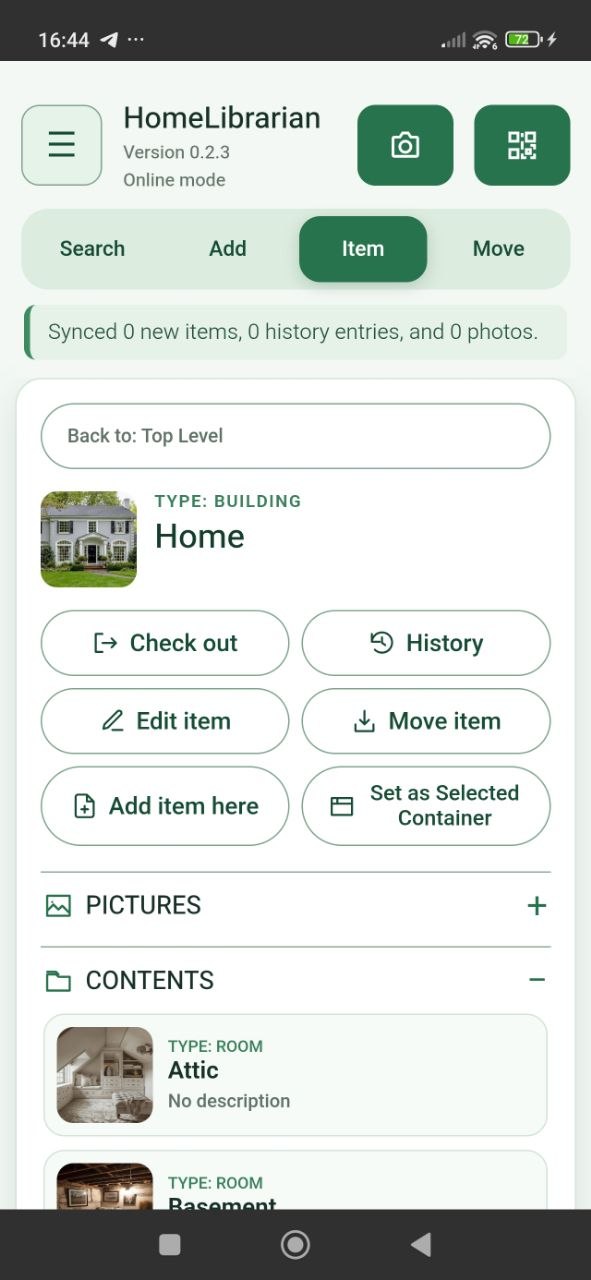
Your data stays in your phone and your desktop computer.
Anything happens to your computer, just restore a backup, even on an unlicensed copy. Don't forget your password. No backup? Generate one from the admin's phone.
When someone else needs to find it
Ensure your family always has effortless access to your vital documents and cherished records whenever they need them.
No trial period. The free edition lets you track the location of 400 items. The activated license gives you unlimited items. One time payment, no recurring subscription fee. Export your license and keep it safe, to activate future installs in the same computer, even if our website stops working.
Try HomeLibrarian for free, for as long as you want.
Download for Windows · 0.2.10This lets you activate HomeLibrarian on 2 computers, just in case something happens to the first one. Thank you for your support.
Activate your copy nowOnce activated, the desktop works offline. A license allows two distinct computer activations over its lifetime; reinstalling on a registered computer does not use another slot.
No. Add the papers that matter most first and work through your collection over time. Ten a day is a perfectly good pace.
Ordinary desktop use is designed to work offline. Initial paid-license activation will need a connection when that service launches; after activation, it does not require periodic online checks.
The Android app can keep its own library or pair with a Windows desktop library over a local network. Paired changes follow the selected Offline mode or Auto Sync mode.
The desktop catalogue is stored locally, with photos as local files. Encrypted backup archives support recovery and transfer.
Leave a message
What would make it easier to organize and find your household documents? We want to hear the problem you need HomeLibrarian to solve.
Download the free Windows desktop app and start cataloguing.
Download for Windows · 0.2.10